Features
Everything you need for live audio playback, nothing you don't.
108 Pads, 9 Pages
All your sounds at your fingertips. 108 pads organized across 9 pages, each with its own playback settings.
Crossfade
Seamless equal-power crossfade transitions between tracks. Adjustable from 1 to 10 seconds.
Auto-Trim
Automatically detects and skips silence at the start and end of each track. Your cues start right on the sound.
Fade-In / Fade-Out
Smooth volume ramps from 0 to 10 seconds per track. Professional transitions every time.
Volume Normalization
Automatically balances all tracks to a consistent volume, even from different sources.
Waveform Display
See exactly where your audio starts, ends, and where the trim points are set.
SFX Pads
Two dedicated sound effect pads that play independently from the main playback.
Keyboard Shortcuts
F1–F12 for pads, Space for stop, Page Up/Down for navigation. Fast and reliable.
Wireless Presenter
Control playback hands-free with a standard wireless presenter. No sound engineer needed.
Who is it for?
BlackBox Cue adapts to your needs, from live shows to background music.
Stage Managers
Adjust music directly during rehearsal. No prep time needed: assign, configure, play.
Improvisation Shows
Nothing is scripted. React in real time with 108 sounds at your fingertips.
Solo Performers
One-man shows, magicians, storytellers: control your soundtrack hands-free, without a sound engineer.
Dance Schools
Start, stop, and switch music instantly with crossfade. Auto-Trim starts your cues right on the beat.
Theater Companies
Build an efficient cue list in minutes, not hours. Each pad has its own settings.
Young Audience Shows
Timing depends on the audience. Trigger any sound at any moment, in any order.
Background Music
Waiting rooms, shops, restaurants: set up a playlist with crossfade and let it run.
See it in action
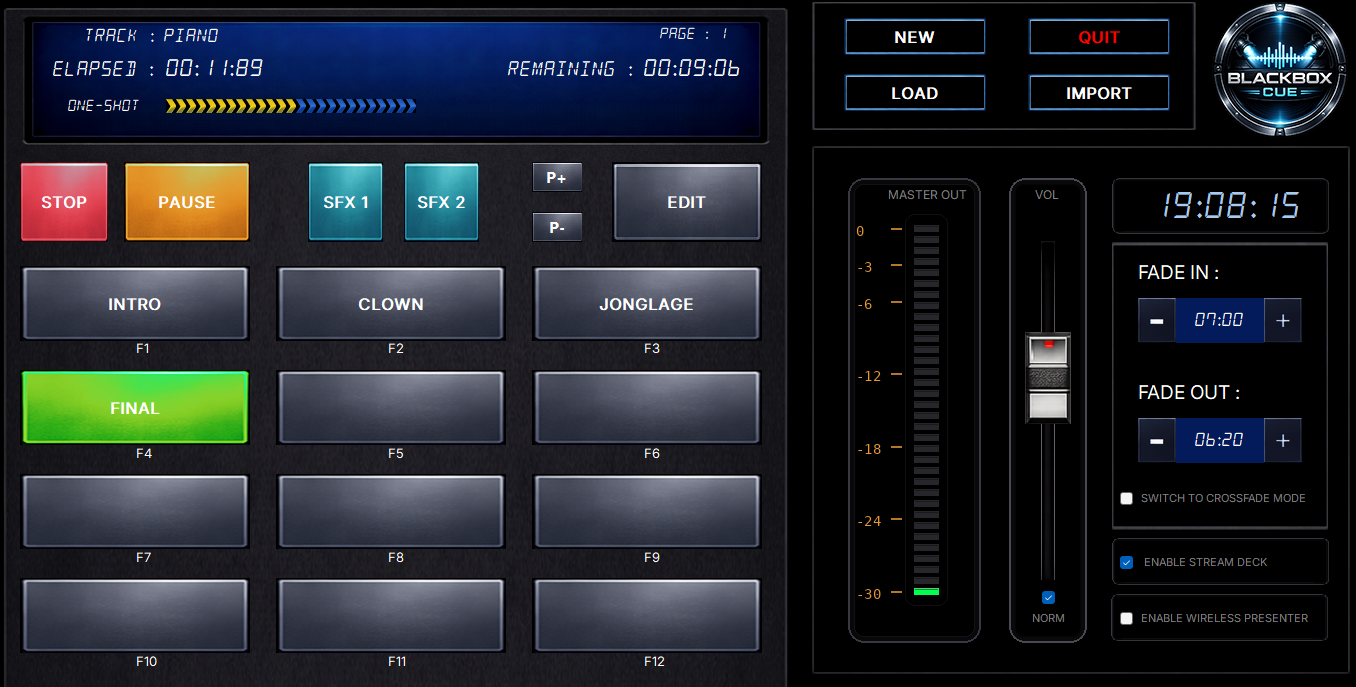
A professional dark interface designed for stage use. Everything visible at a glance.
Stream Deck Integration
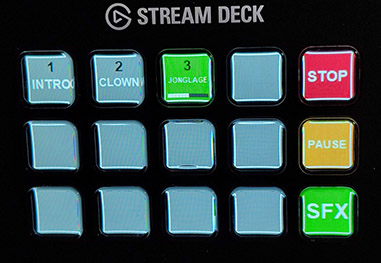
Use an Elgato Stream Deck (15-key model) as a physical control surface. BlackBox Cue automatically detects your device and maps your pads to the keys.
- 12 pad keys with caption and progress bar
- Dedicated Stop, Pause, and SFX buttons
- SFX mode and Page navigation mode
- Automatic detection — plug and play
Up and running in under a minute
Set up a background music playlist for a waiting room, restaurant, or exhibition:
Create a new project
Switch to crossfade mode
Click Auto-Assign and select your music folder
Enable volume normalization
Set your desired volume level
Set crossfade to about 5 seconds
Click the first pad — done!
Download BlackBox Cue
Free — No registration, no ads, no limits.